Showing posts with label Apple. Show all posts

Friday, 1 August 2025

ICSviewer is now ICSviewer Pro

ICSviewer Pro logo
Convert your calendar into a work hours table and save it for your records with ICSviewer Pro.

ICSviewer is now ICSviewer Pro

v5.5
Lots of fixes, SSH connection to MySQL, better network-error handling, etc. and ... parse repeating events

Purchase a serial number for use on macOS, Windows and Linux, or for macOS only:

Download on the App Store

Monday, 1 March 2021

Apple Mail to Markdown #apple #mail #email #markdown #applescript #joplin #backup #cloudstorage


Import your Apple Mail emails into Joplin with my Send E-Mail to Markdown script:.

Feel free to improve it!

Wednesday, 13 May 2020

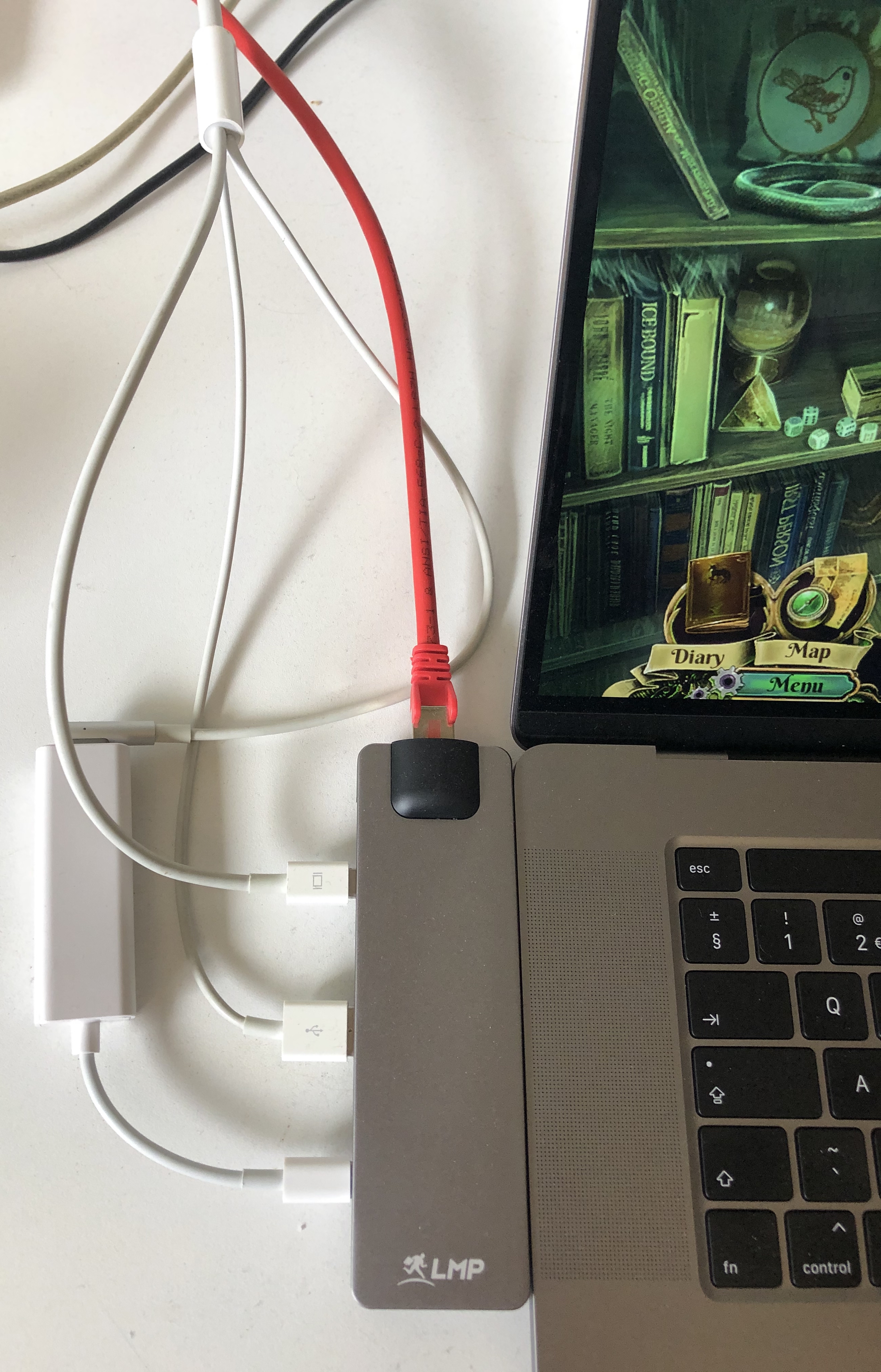
Verbind Apple LED Cinema Display met MagSafe1 adapter aan MacBook Pro met USB-C #apple #macbookpro #usbc #magsafe #adapter #cable

 
Overstappen van een MacBook Pro uit 2012 naar een MaBook Pro uit 2019? Tsja, dan past geen enkele kabel meer, ook al je MagSafe1 adapters die je her der in huis hebt geplaatst passen niet meer. En wil je je mooie 27-inch Apple LED Cinema Display behouden, dan moet er iets gebeuren. Gelukkig bestaat de 'alleen-nog-USB-C' Mac al wat langer en zijn de adaptermakers druk in de weer geweest.

Zie hiernaast op de foto mijn keuze: Het LMP Compact Dock , te koop bij Appelhoes en een MagSafe1 & 2 adapter voor USB-C bij AliExpress . Daarvan bestel je er gelijk twee. Eén voor in het Compact Dock en één voor her en der in huis waar de oude MagSafe power-adapters in de stopcontacten zitten.

En voilá, met deze combinatie is de LED Cinema Display ook weer aangesloten, én de MacBook Pro laadt prima op. De 85W Power Adapter kan in de computertas, voor onderweg.

Monday, 25 February 2019

Apple Mail to Evernote #apple #mail #email @evernote #evernote #applescript #veritrope #backup #cloudstorage

 
Some fixes and improvements in the Send E-Mail to Evernote script:

- Replaced Growl support and modal dialog messages with standard mac OS Notifications.

More info on the download page.

Thursday, 7 February 2019

Save and Restore Mac OS X Finder Windows, with Tabs and Positions #macos #mojave #finder #windows #save #restore #positions #contents


A new version of my Save and Restore AppleScripts for the macOS Finder is released.
It contains a fix for the way windows are indexed in macOS 10.14 Mojave.

You can download them from this page, second entry.

Thursday, 5 July 2018

Move The Creator 7 assets folders to Dropbox on macOS X #creator7 #laughingbird #dropbox #lbsoftware


When you use The Creator 7 to make logos and banners, you are bound by the software to use the folders
~/Documents/Laughingbird Documents/Logo Elements
and
~/Documents/Laughingbird Documents/Logo Libraries

I have got the solution to moving these two assets folders to, in my case, Dropbox and still use The Creator 7.

Sunday, 24 June 2018

Setup your local macOS X web server #apache #macos #macosx #webserver #localhost #webdevelopment

I've put together a page where I describe how you can setup a web development environment with two or more Apple Macs.

If you are a web developer working on Apple Macs, you sure do want to use the macOS X built-in web server, Apache, on all your Macs. And you want to be able to access your Sites folder, local web documents folder and your other Mac via HTTP.

I'll describe how to set it up on macOS High Sierra (10.13.5). If you're on a previous version of macOS X, not to worry, the steps to take are practically identical. Read on ...

Friday, 18 May 2018

Installing SSDs in my MacBook Pro

Here's a picture of when I replaced a 512GB Crucial SSD with a 2TB Samsung SSD in my mid-2012 MacBook Pro, the MacBook Pro-series where you can still do-this-yourself.
I found it a nice sort of 'still life', that's why I took the picture.

Friday, 30 March 2018

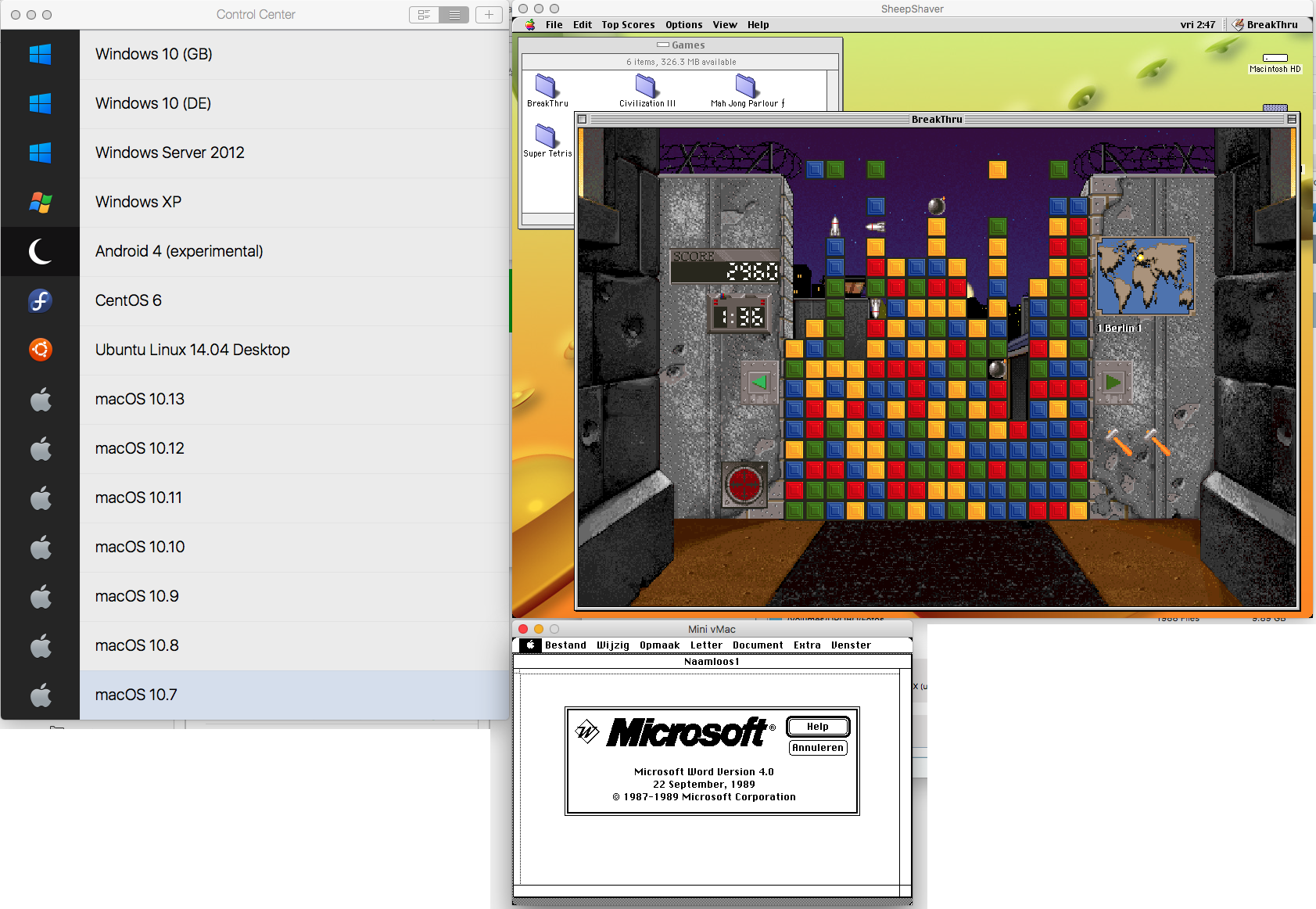
I love the invention of virtualization

Click image to enlarge!

Tuesday, 27 June 2017

[Repair] MySQL Upgrade on Mac OS X

Some time ago I did a MySQL upgrade without thinking ... that was not funny. So I retraced what I did to get the new version up and running and wrote it down as a sequence of steps to follow, when I need to upgrade to the next higher version.

I published these steps on the page [Repair] MySQL Upgrade (Mac OS X) , so they might be of help to you too.

Wednesday, 10 May 2017

Keyboard Shortcuts for Evernote

One of the many reasons why I love Mac OS X is the possibility to define your own keystroke / key-combinations for menu items in whatever application you like.

To make working with tables in Evernote easier, I added the following keystrokes to Mac OS X System Preferences -> Keyboard -> Shortcuts -> App Shortcuts (^ = ctrl-key):

mac-osx-keyboard-shortcuts

Wednesday, 3 May 2017

Backgammon in MacForth 1986

In 1984, FORTH came to the first Macintosh as MacForth. I coded some apps with it in 1986/7 on a Macintosh and later on my Macintosh Plus.
bitsavers_creativeSo4_10001850
From all the apps I wrote, I kept just one, as a paper source code listing : Backgammon , which I started coding in 1986 but never really finished.
So, for memory's sake, I publish it on my website so you and I can enjoy reading and looking at it, whilst thinking about the first days we had a fabulous MacPlus to work with. BTW, there's still some activity around FORTH on Github .

Wednesday, 1 March 2017

Various software updates (SetEXIFData, ICSViewer and HandbrakePM)

My three main apps are updated with new toolbar icons (if applicable) and now look great on HiDPI (Retina) displays.

SetEXIFData v5.9 -> https://marc.vos.net/downloads/setexifdata/
HandbrakePM v1.7 -> https://marc.vos.net/downloads/handbrakepm/
ICSViewer v2.8 -> https://marc.vos.net/downloads/icsviewer/

Also:
- The label 'Camera mode' in SetEXIFData has been corrected into 'Camera model' - the 'l' dropped off when I reset the size of the font back to the system default.
- Bug fixed in HandbrakePM with loading Handbrake presets.
 

Monday, 2 January 2017

Apple Mail and Microsoft Outlook to Evernote

Bg fix in the Send E-Mail to Evernote script:

- Some splitting needed with multipart/alternative Base64-encoded e-mails.

More info on the download page.
 

Wednesday, 21 December 2016

Check / Identify which version of Mac OS X is on your Recovery HD partition

There is an easy way to check which version of Mac OS X is on your Recovery HD partitions.
Since you can have such a partition on each attached Mac-formatted disk, it's interesting to know if they are all up-to-date.
To find out how, click here!
 

Monday, 21 November 2016

SetEXIFData 5.1

A new version of SetEXIFData, my GUI for exiftool by Phil Harvey, is now available:

v5.1
(21-november-2016)

As of version 5, SetEXIFData is now shareware.

If you have donated for SetEXIFData in the past, please e-mail me your Paypal transaction-reference and I will e-mail you your serial number. I am asking you to take action yourself, because email addresses on file are not always actual anymore.

Fix:
- The link to Paypal has been updated to the new Paypal payment-links. You should now see who you donate to and what for.

Sunday, 20 November 2016

SetEXIFData 5.0

A new version of SetEXIFData, my GUI for exiftool by Phil Harvey, is now available:

v5.0
(20-november-2016)

As of version 5, SetEXIFData is now shareware.

If you have donated for SetEXIFData in the past, please e-mail me your Paypal transaction-reference and I will e-mail you your serial number. I am asking you to take action yourself, because email addresses on file are not always actual anymore.

New:
- Added 'Email address' and 'Serial number' fields and a processing limit of max 5 photos a time. When you make a donation, you will get a serial number mailed to your PayPal email address. Enter both in the appropriate fields in the 'About..'-window and the processing limit will be removed.
- Added SubSeconds (or Burst Sequence Number or ImageNumber or ImageCount) to the Date/Time settings. You can insert a value in just this field if you only want to number photos - no need to fill dates/times. It wil set the following EXIF attributes: SequenceNumber, ImageCount, ImageNumber, SubSecTime, SubSecTimeOriginal. When 'Set Creation Date/Time ...' is checked, also the EXIF attribute 'SubSecTimeDigitized' wil be altered.
- Added '%x' pattern in 'Retrieve Date/Time from file name' to retrieve 3 digits from the file's name and store that number in the previous mentioned EXIF fields. It is up to you to correctly position this placeholder. Read the manual on my website on how to do this.
- Added '%x' pattern to the rename-pattern in 'Document name' when the 'Rename' checkbox is checked. When '%x' is found, the following number from the EXIF data is taken to rename the image file with: SequenceNumber, ImageNumber, ImageCount, ShutterCount, ShotNumberSincePowerUp, SubSecTime, SubSecTimeOriginal or SubSecTimeDigitized - whichever comes first.

Update:
- The main window is now resizable.
- No readme cq. manual included in the download any more. The always up-to-date version can be found by clicking the link on this 'About...'-window.

Fix:
- 'Autofill' caused problems with processing multiple images.
- 'Titlecase' did not always work. Now you have to explicitly execute it by clicking a button. This way you can titlecase keywords and afterwards lowercase individual words, like 'and' and 'or', by hand.
- Possible crash while renaming files based on EXIF dates is repaired.
- Various internal improvements.

 

SetEXIFData 4.7 PPC

A new version of SetEXIFData for PowerPC, my GUI for exiftool by Phil Harvey, is now available:

Version 5.0 is also out, but that one is Intel-only and as of now also shareware.
You can keep using this PPC version for as long as you like.
The PPC version will receive no functionality updates, only bugs will be fixed.

v4.7
(20-november-2016)
Fix:
- 'Autofill' caused problems with processing multiple images.
- Possible crash while renaming files based on EXIF dates is repaired.

Monday, 26 September 2016

SetEXIFData 4.6

A new version of SetEXIFData, my GUI for exiftool by Phil Harvey, is now available:

v4.6
(26-september-2016)
On request:
- Compiled a Universal Binary (UB) version for use on PowerPC and older Intel Macs. You can download it from my site.
- Added 'Save as set' for Geotags. If 'Put address in comment' is checked, the Comment (street address) is saved with the GPS coordinates.
New:
- A double-click on a row in the EXIF-list inside the drawer, copies the value of the right column to the clipboard.
Fix:
- Improved test if 'exiftool' has been installed.

A note about the Universal Binary (UB) version
Since september 2016 there is a UB version available, for PowerPC and Intel Macs. The UB version is still 1:1 the same with the current Intel version, but may differ in the future, since I use my old Powerbook G4 to keep the UB version current. When it dies, the UB version developments will also stop. Until then I will do my best to keep both versions the same qua functionality.

v4.5
(08-july-2016)
Fix:
- Negative intervals lower than -9, like -10, could not be entered.
 

Wednesday, 21 September 2016

Save and Restore Mac OS X Finder Windows, with Tabs and Positions

Since Apple released Mavericks (10.9), the Finder doesn't save and restore its open windows, and the tabs inside these windows. I find this a real nuisance and it wonders me why Apple haven't been able to fix this. I tried writing 'defaults' settings, with no effect.

Anyway, then I decided to write my own solution, in AppleScript. You can download them from this page, second entry.